Set guardrails and custom rules
Guardrails is where an admin decides which rules block a deploy, which only warn, and which are off; where on the way to production each one is checked; which scanners run; and what coding agents are told before they write code.
Guardrails in the dashboard is “What every app must pass before it reaches production, and what coding agents are told.” Only an admin can open it. A member who follows a link there is told “Only an admin can open Guardrails.” What an app must pass is on that app’s page.
It has four pages:
- Pipeline: where each rule is checked, before preview or before production.
- Policies: each rule’s state, and your own custom rules.
- Scanners: the tools Canyon runs, and their settings.
- What agents are told: the stacks, buildpacks and design system coding agents are told to use.
Off, Advisory, Blocking
Section titled “Off, Advisory, Blocking”A rule is one thing Canyon checks, such as “No secrets in the code”. Each problem a rule finds is a finding, rated critical, high, medium or low. Every rule has one of three states:
- Off: the rule isn’t checked.
- Advisory: its findings are shown, and stop nothing.
- Blocking: its high and critical findings stop the version, at the place in the pipeline where the rule sits. The go-live rules, which check the version rather than its code, stop it whenever they don’t pass.
Each rule has a page under Rules that says what it finds, which of its findings block, and how to fix them.
Change a rule, see what it would block
Section titled “Change a rule, see what it would block”Moving a rule’s control saves nothing yet. Canyon first works out what the change would block today, from each app’s latest review, and shows it beside the rule: “No app is affected today.”, or how many apps could not promote and which.
Changes collect in one bar at the foot of the page. It says what each change does, then offers “Discard” and “Save”. When a change makes a rule stricter, the bar also offers “Save, tightening in 14 days”: the rule keeps its state for 14 days and changes after that, so teams have time to fix what it would block. Until then the rule’s row says what it becomes and when, with a button to keep the state it has now.
Rules decide what can be deployed and promoted. They never stop an app that is already in production.
Every saved change is in the audit trail, with who made it.
Pipeline
Section titled “Pipeline”Pipeline draws the path every version takes: Upload, then Preview (“agents deploy”), then Production (“people promote”). A rule is checked in one of two places, or both:
- Before preview: “Runs on every check and deploy. A Blocking check keeps the version out of preview.”
- Before production: “Checked when a person clicks Promote. A Blocking check keeps the button disabled.”
To also check a rule before production, drag it into that box, or click “Also before production” under its control. Each place then has its own state for that rule. “Take out of before production” removes it again.
Six rules only ever run before production, because they are about going live. They are the go-live checks on each app’s page: Production needs a passing review, A person promotes, Approved stacks only, Every app has an owner, No known-vulnerable system libraries or build tools and Production allows everything preview connects to.
Policies
Section titled “Policies”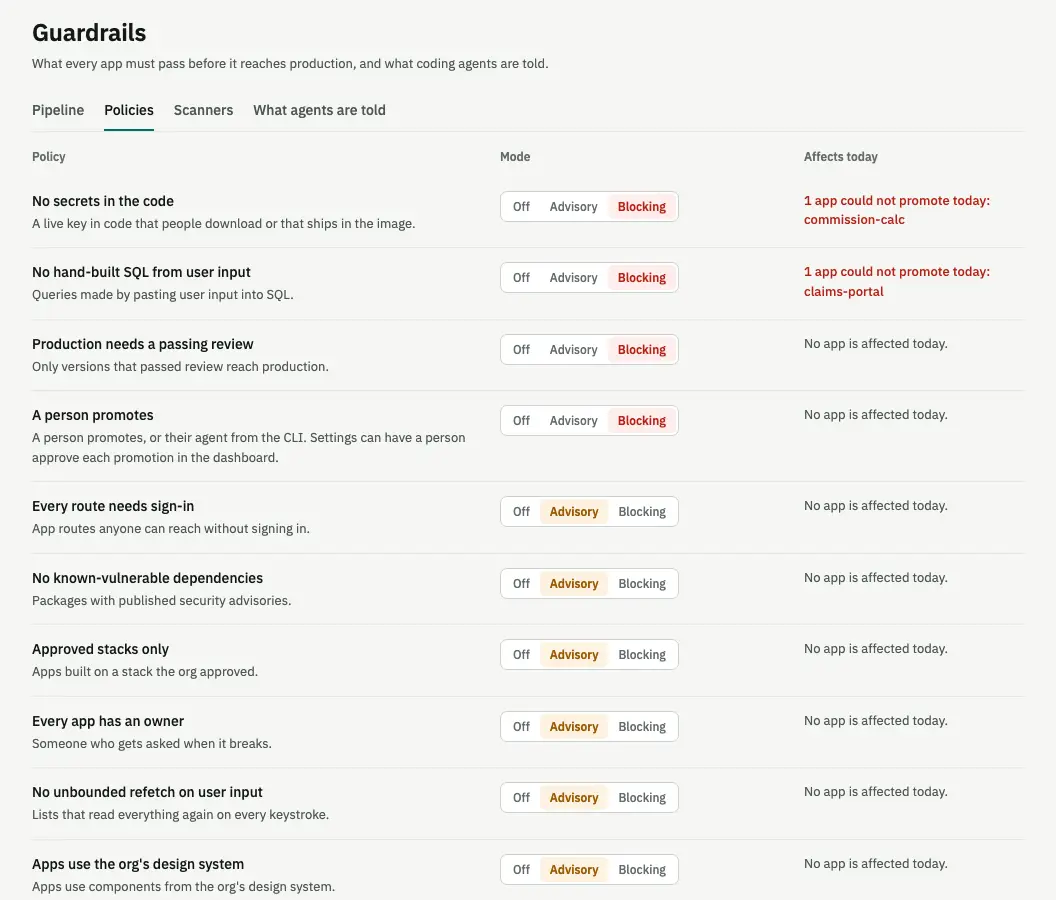
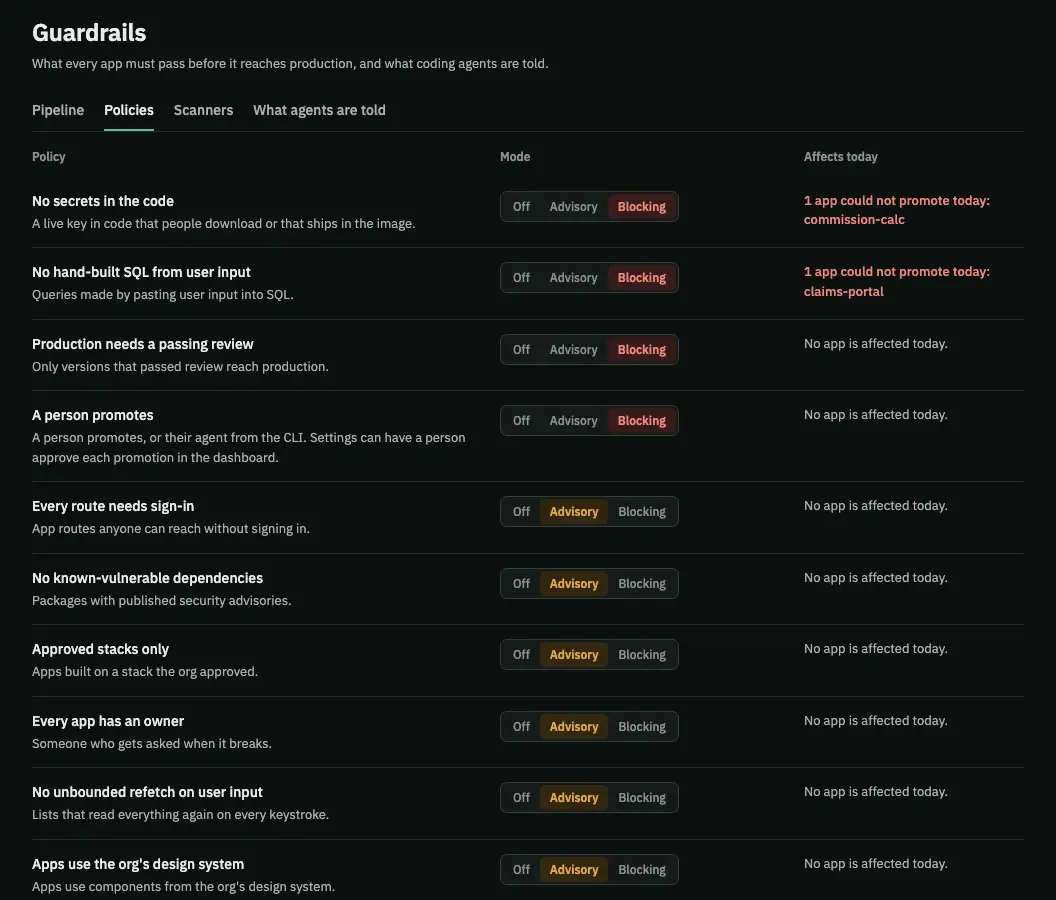
Policies lists every rule Canyon ships, each with its page under Rules:
- Secrets in the code:
secrets.client-bundleandsarif.gitleaks. - User input reaching SQL, commands, files, pages or URLs:
sql.string-concatandcode.injection, found by scanners.ai.sql-string-concatandai.code-injectionare the same checks made by the AI review, for files in languages the scanners can’t read. - Packages and infrastructure config:
deps.known-vulnandiac.misconfig. - Found by the AI review alone:
auth.unauthenticated-routeandperf.unbounded-refetch. - The org’s design system:
design.org-system. - The go-live checks (above).
One row has no control: “Files Canyon can’t read”. When a scanner can’t open a file, or can’t finish, the version gets a blocking finding, until it is approved.
On a Canyon with no AI model, a rule the AI review checks can’t be set to Blocking, or placed before production. Canyon says why when you try.
Custom rules
Section titled “Custom rules”Under Policies, Custom rules are “Your org’s own rules, checked on every review: by code where what Canyon reads of an app decides the rule, and by Canyon’s AI otherwise.”
- Click “New rule”.
- Give it a name. The name becomes the rule’s id:
custom.followed by the name in lower-case letters and hyphens. - Say in plain words what Canyon should check. Describe one problem, and what counts and what doesn’t.
- Save it. It starts Off. Set it to Advisory first, to see what it finds before it blocks anything.
A Canyon takes up to 20 custom rules.
Checked by code, or by AI
Section titled “Checked by code, or by AI”When you save a rule, Canyon asks its AI model once whether the rule can be decided from what Canyon
reads of every app: its programming languages, its files by path, the packages its lockfiles lock,
the resources and roles its canyon.toml declares, and the names of its secrets. “No app may depend on lodash” and “Every app has a README.md at its root”
can be. “Customer emails are encrypted at rest” can’t: it needs someone to read the code.
- A rule that can be is checked by code on every review, the same way every time, with no AI call. Its card reads “Checked by code:” and the condition in plain words, and coding agents are handed that condition beside your text.
- Any other rule is checked by AI, as before. Its card reads “Checked by AI”.
- “Check it with the AI instead” saves the rule’s next version checked by AI. “Check it by code where Canyon can” asks again. When a rule you asked to be checked by code stays with the AI, its card says why.
- Saving takes a few seconds while Canyon works out how to check the rule. Canyon only checks a rule by code if the check runs quickly on a very large app. When it doesn’t, or when no AI model is set up, the rule is checked by AI.
- After you save a rule checked by code, Canyon tries it on your apps and lists each one as “Would pass”, “Would fail” or “Not checked” with why. It reads each app as its latest review did and writes nothing. “Try it on your apps” runs it again. It tries the 50 apps reviewed most recently, for up to 50 seconds, so a front door that cuts a request off at a minute never cuts it off; any other app reads “Not checked”, never “Would pass”.
- When Canyon can’t read what a rule checks, for example the packages of an app with no lockfile it reads, the review says “Canyon could not check” the rule. That blocks wherever the rule blocks, so an app is never passed unread.
The packages a rule checks
Section titled “The packages a rule checks”Canyon reads an app’s packages with Trivy, so a rule about packages needs Findings from trivy
(sarif.trivy) on with Canyon running it. While it’s off, every such rule reads “Canyon could not
check”, with the reason “Canyon reads an app’s packages with Trivy, which is off on this Canyon”.
Canyon counts a package only from a file that names every package the app runs with:
| Language | Files Canyon reads packages from |
|---|---|
| JavaScript, TypeScript | package-lock.json, yarn.lock, pnpm-lock.yaml, bun.lock |
| Python | uv.lock, poetry.lock, Pipfile.lock |
| Go | go.mod, go 1.17 or later |
| Java, Kotlin | gradle.lockfile |
| Ruby | Gemfile.lock |
| Rust | Cargo.lock |
| PHP | composer.lock |
| C#, F# | packages.lock.json |
| Elixir | mix.lock |
| Dart | pubspec.lock |
| Swift | Package.resolved, Podfile.lock |
| C, C++ | conan.lock |
Other files don’t name every package, so an app with one of them reads “Canyon could not check”
instead of a list that’s too short. A requirements.txt names the packages it asks for, but not the
ones pip installs for them. A pom.xml doesn’t name the packages Maven adds when it builds. A
package.json without its lockfile beside it names ranges, not versions. Canyon reads the files
without the network, so it never guesses a version.
Some lockfiles, such as gradle.lockfile, don’t say which packages the app asks for itself. A rule
about direct dependencies (“no app depends directly on minimist”) then reads “Canyon could not
check”. A rule about every package (“no app depends on log4j”) is checked as usual.
- A custom rule needs an AI model on this Canyon. Without one, it can be written but not turned on.
- The text is kept with every review and sent to the model, so it can’t hold a secret.
- Once it blocks, before preview or before production, coding agents read its text at the start of each session. While it only warns, they see its name alone.
- Each save is a new version. The card says who wrote it, which version, and when. “History” opens every change to it in the audit trail.
Only an admin can change a rule or a custom rule, and only as a person: Canyon refuses the change from anything else, such as the token your own deployment platform uses under hand-off. A coding agent using your CLI sign-in counts as you.
When “Production is approved in the dashboard” is on (Settings › People & sign-in), rules, custom rules, the approved buildpacks and the design system can be changed only in the dashboard, not from a CLI sign-in. Who can do what lists every role and what each may change.
A stricter rule for one app
Section titled “A stricter rule for one app”An app’s owner can make a rule stricter for their app alone, through Canyon’s API; the dashboard has no screen for it. A stricter rule can only add to the org’s rules, never weaken them. Pipeline shows each one as a dashed row: the rule, then the app’s name with “only”, and who added it.
Scanners
Section titled “Scanners”“Canyon runs these tools itself on every review, on this host.” Each has a control for its findings and a “Configure” button:
- Trivy: known-vulnerable dependencies and infrastructure config. Its rule is
sarif.trivy. - Opengrep: code patterns such as SQL injection. Its rule is
sarif.opengrep. - ESLint: JavaScript and TypeScript patterns. Its rule is
sarif.eslint. - Grype: packages with known advisories. It isn’t on out of the box: an admin adds it here, and
it starts Off. Its findings stay under its own rule,
sarif.grype. - Checkov: infrastructure config. Its rule is
sarif.checkov.
Under Configure, the “Canyon runs” box turns the tool on or off. Canyon runs it only while its
rule is Advisory or Blocking. Every tool takes paths to skip. A skipped path is never scanned, so a
pattern like ** makes the tool find nothing. Checkov also takes frameworks and checks to skip,
and Trivy which of its scans to run.
When Opengrep runs, it always uses GitLab’s open-source security rules (sast-rules), which ship with Canyon, and Canyon’s own SQL rule. You can add a rules repository of your own, at a fixed commit, and say which of its folders to read. “Use the community rules” fills in a community repository that adds SQL injection rules for Ruby, PHP and Java. Its licence carries the Commons Clause, which limits selling software built on it, so whether your organisation may use it is your decision.
A private rules repository needs a username and token, saved once. Canyon never shows the token again, only that a credential is set, for which repository, by whom and when. “Remove” deletes it, and so does changing the repository.
What agents are told
Section titled “What agents are told”This page sets what every coding agent in your org is told at the start of each session, through the
Canyon skill (the instructions canyon installs for the agent):
- Approved stacks: the languages and frameworks agents are told to use. This list guides agents and blocks nothing.
- Approved buildpacks: Canyon builds every app with buildpacks, which detect the language and install what the app needs. This list shows every buildpack Canyon has seen an app build with. Tick the ones you approve. Approved stacks only passes when every buildpack an app’s build ran is ticked.
- Design system: the registry agents take components from. “Add a design system” registers one. Each review checks the app uses it: Apps use the org’s design system.
“Save” saves all three. Under them, What agents are told shows the text agents read, built from these settings and the rules.
Under each rule that blocks, agents read one line on how to pass it, so they write code that meets the rule before a deploy is blocked by it. Canyon writes those lines; there’s nothing to set. Each custom rule that blocks is also handed to agents in full, under “Your org’s own rules (written by its admins):”. A rule that only warns is listed by its name alone.
On a Canyon whose AI model is on the Claude API, Set up with Canyon lets you describe what your teams build. Canyon fills in the form above from what you say, and can propose a rule change with what it would block today.